










What is Image to PDF?
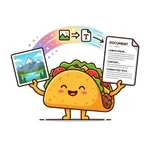
The Image to PDF converter is a fast and efficient solution to transform your image files (such as JPG, PNG, or GIF) into a professional PDF document. Whether you need to compile scanned receipts for an expense report or create a portfolio of your favorite photos, this tool seamlessly bridges the gap between image formats and standard documents.
100% Private & Secure
We highly respect your privacy. The entire conversion from image to PDF happens locally in your web browser. Your images are never uploaded to our servers or transmitted across the internet, ensuring your personal photos and sensitive documents remain completely confidential.
Frequently Asked Questions
Q: Will my images lose quality when converted?
A: No, our tool preserves the original resolution and colors of your images, ensuring the final PDF looks just as sharp as the original files.
Q: Can I combine multiple images into a single PDF?
A: Yes! You can upload multiple images, rearrange them in any order you want, and save them all together as one PDF document.